Showing posts with label Selective Color. Show all posts

Monday, July 7, 2014

Delawares Hues of Red

I have been taking my Iphone out on my morning walks with MaraBella.  It gives me a chance to take advantage of the morning light.  This bug was just begging to pop with selective color.  I am sure there are multiple ways to achieve this.  Sometimes I just find the easiest is to use the magic wand tool to make my selection.  Copy the selection.  I desaturate the original image to remove color. Then I can simply paste the color selection right back into place.
 

Thursday, April 17, 2014

Delaware NEWS: Exhibit at the Full Moon Cafe

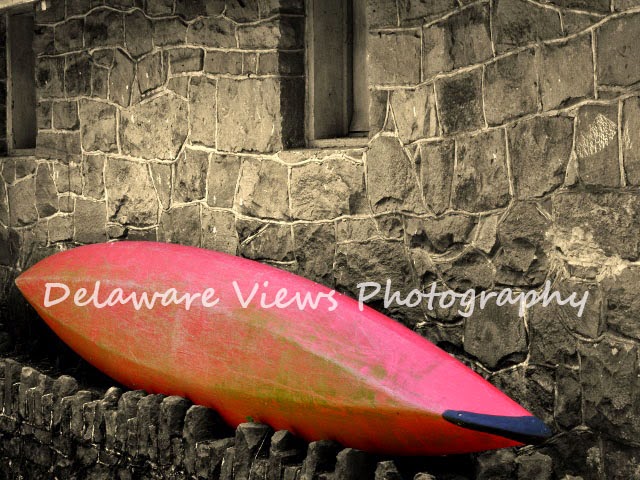
I got to the Full Moon CafĂ© in Lambertville, NJ on Monday, and with the help of two pairs of extra hands and eyes managed to hang quite a few images.  Some were printed on canvas and mounted in floating frames by Easy Canvas.  Some were printed by Large Format Printing of NJ on canvas boards and I framed them myself.  OY...should I mention that in my crazy tizzy I mounted the hanging hardware on one of the images UPSIDE DOWN.... Yes I did and now will have to pull it apart and reframe.  No worries.  There is a nice variety of size, sepia, color, and even one selective color image.  There would have been two but alas, I wasn't the only one to err as the printer made a boo boo too, leaving one of the selective color images useless. Cut off the end of the red canoe in the printing.  How about I show you them here.


Monday, July 22, 2013

Fun at the MET and Long After

Photoshop really is a phenomenal thing.
 
Put the two together and BAM
Yes, I think my next few installations might be from
the NYC museums visited recently
 
New Paint job at the Met


Select portions of a Tiffany glass panel modified in CS3
 

Monday, July 15, 2013

Be Selective

When I wrote those two words "Be Selective" I had one thing in mind, Selective Color in CS3.  As I thought about it, I realized I should be a little more selective about so many things.